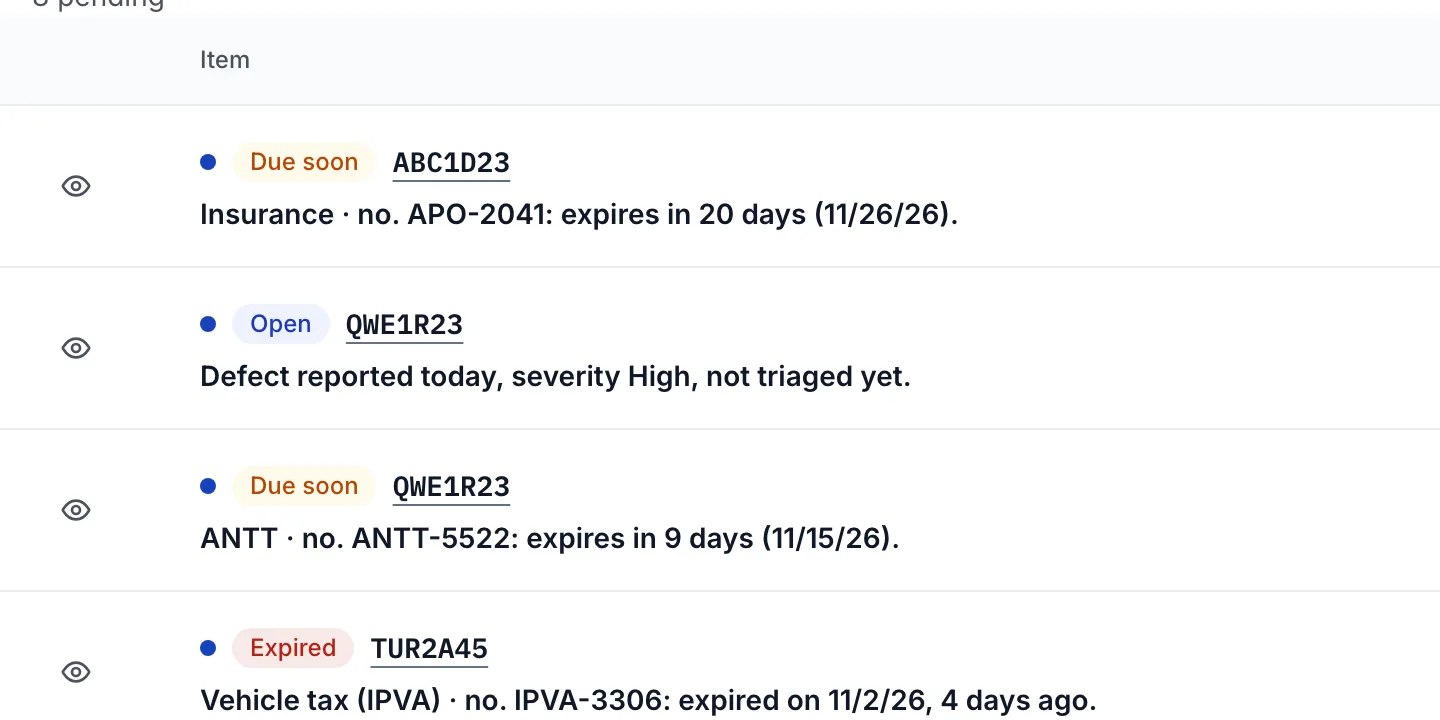
The operations dashboard lists what needs attention today. Each line says why it is there and leads to the action, such as "Renew document" or "Schedule maintenance". When you resolve it, the line goes away.
An expiring or expired document, a maintenance plan about to be due and an overdue order.
An untriaged defect, a suspect fill-up and a checklist that was not sent.
A tire whose tread is at the attention or replacement limit.
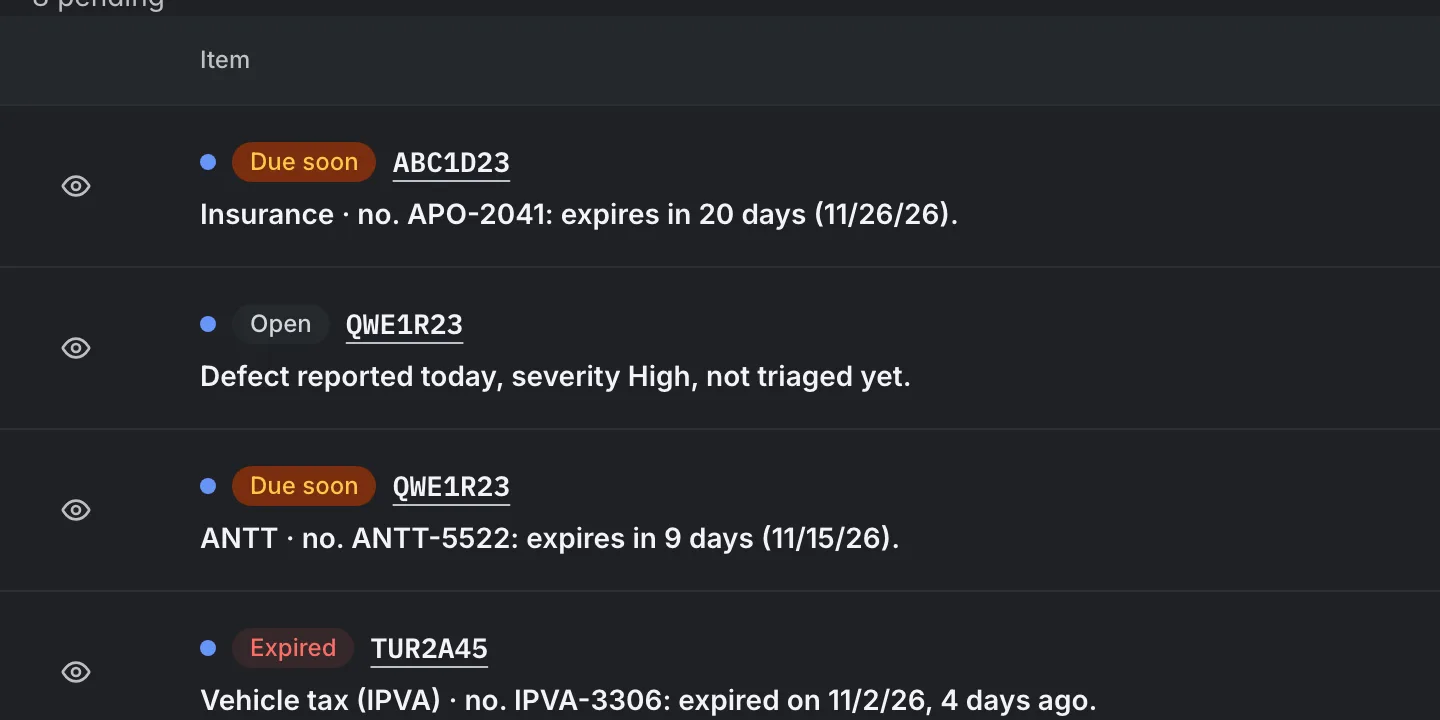
Example with made-up data.
See your vehicles' alerts in the panel.
You confirm your email and create the company next.
The trial period is granted once per company and applies to paid plans. Payment is made through Stripe, by card or Link. You can use a coupon. When you cancel, you keep access until the end of the period already paid, there is no automatic refund and the company returns to the Free plan, with its data kept.
Changing plan: in Billing, with prorated charges (Stripe).
For bus companies, especially charter and tourism, that want to control fleet documents, maintenance and costs without a large-scale system.
Do I need to install anything?
No. Nória Fleet works in the browser, on the computer and on the phone. There is no installable app yet.
How long does it take to get started?
You create the account, confirm your email, create the company and add the first vehicle in the same session. There is no onboarding project.
How much does it cost?
There are four plans: Free, Basic, Professional and Complete. The monthly prices, the limits and the trial days of each one are under Plans. The paid plans cost R$29.90, R$69.90 and R$149.90 per month.
How does the trial period work?
The paid plans have a trial period of 7, 14, and 21 days (Basic, Professional and Complete, in that order), granted once per company. To start the trial, Stripe asks for a card at checkout. The Free plan account does not ask for a card.
How do I pay?
Through Stripe, by card or Link. Pix and boleto are not available yet.
Can I cancel?
Yes, in Billing. You keep access until the end of the period already paid. There is no automatic refund. After that, the company returns to the Free plan: your data stays there, visible and editable, and only creating records beyond the Free limits is blocked.
Can I change plans?
Yes, in Billing. Stripe calculates the prorated amount.
How many vehicles and people fit?
It depends on the plan: vehicles (1, 10, 50, or unlimited), members (1, 5, 15, or unlimited) and documents in force (5, 50, 500, or unlimited) have a limit per plan, and so do invitations. When the limit is reached, the system tells you and points to Billing.
Who can see and do what?
The administrator manages the team, the plan and exports, and sees the alerts inbox. The member registers and operates: reports defects, records km, logs fill-ups, runs checklists and works on orders.
Can I take my data with me?
Yes. Every list can be exported as CSV with the filters on screen, up to 10,000 rows per file. Only the administrator exports.
Can I import my vehicle spreadsheet?
Not yet. Vehicles are added one by one.
Does Nória Fleet manage drivers, routes and trips?
Not yet. Today the focus is vehicles, documents, maintenance, fuel, tires and costs.
Does Nória Fleet do GPS tracking?
No.
Does it work offline?
No. Form drafts stay saved on the device, but sending needs a connection.
How does Nória Fleet handle my data and LGPD?
Each person can download their own data and ask for the account to be deleted, with a 7-day grace period and the option to cancel the request. The retention periods are in the Privacy Policy.
Does the system speak English?
Yes, Brazilian Portuguese and English, plus a light or dark theme. Emails follow the language.
Can I use my company's colors and logo?
Yes, on the Professional and Complete plans (custom branding).
How do I reach support?
Inside the system, under Help, or through the form on this page.
Get in touch
Questions about plans, about what Nória Fleet does today or about migrating data? Write here.
We will review your message and, if needed, get in touch at the email you provided.
Prefer social media? Message us on Instagram: @noriafleet
Start with your vehicle records.
Create your account, confirm your email and add your first vehicle and the expiry dates of its documents.
A deadline on record is a deadline that never expires unannounced.
Start with what weighs the most: the plate and the expiry date of each document. Nória Fleet then warns you before it expires, and the team joins by invitation whenever you want.